The Future of QR Code Scanners
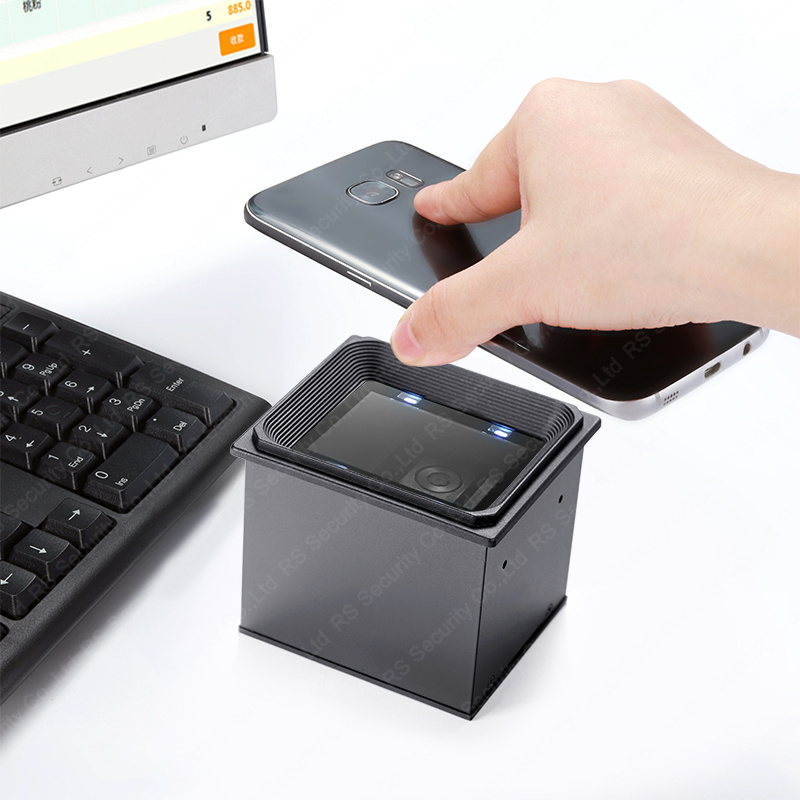
QR codes(2d barcode scanner) are used to connect physical products, materials and advertising with digital information such as website links or contact details. Their user-friendliness makes them easily scannable by any camera-equipped device such as smartphones.
A QR code, also known as Quick Response Codes or 2D Barcodes, uses patterns of dots on a square grid to encode strings of numbers or letters (including URLs ). They are far more reliable than standard barcodes due to built-in error correction features.
How to scan a QR code
QR codes are two-dimensional barcodes designed to connect online resources with physical locations or processes. Their unique pattern of squares and lines encodes data which can then be decoded with specific software. A smartphone’s camera provides an effective method for scanning these codes since its lens will detect their pattern automatically and connect you with its associated link.
Scanning a QR code using your smartphone camera is a quick and straightforward process. First, launch the camera app on your phone or tablet; point your camera towards the QR code; wait a few seconds while it recognizes and pulls up link info; finally tap to view.
Use Google Lens on Android devices to scan QR codes directly with your camera. To activate, tap the cog icon in the Camera app (Pixel phones can use Camera settings instead), toggle “Scan QR codes” on and select an image containing a QR code from gallery; Google Lens will recognize and interpret its data and provide you with its encoded contents.
Apple devices feature QR code scanning capabilities built right in. You can access this feature from either the Camera app on your home screen, Control Center or lock screen – simply point your iPhone’s camera at the code to scan it and your device will provide notification with link details once complete.
Other apps and services also make scanning QR codes on a phone or tablet easy, like Snapchat for quickly adding friends, Twitter for easily sharing or viewing profiles, LinkedIn offering profile QR codes that allow you to add yourself without typing your name, etc.
Circle to Search provides the easiest and simplest method for scanning QR codes and barcodes, from those found printed materials or galleries, all the way to ones hidden away on screen – perfect if you’re at a restaurant where the QR code might not be visible! This free mobile app makes QR coding more accessible than ever!
What to look for in a QR code scanner
QR codes have quickly become one of the most ubiquitous technology trends today, used for everything from checking in at restaurants to accessing event registrants’ details without manually typing, providing people with easy and effortless connections between websites and apps without typing manually themselves. But these codes also present cybercriminals with an opportunity to steal both personal data and money from individuals using them as access codes.
To avoid this risk, seek a scanner that meets HIPAA compliance and offers secure features. Uniqode stands out as being HIPAA compliant and boasts numerous secure features to enable easy scanning and sharing data securely while adhering to stringent security standards.
Another important consideration when shopping for a QR code scanner is its ability to operate in low light environments. Some scanners may struggle to recognize codes in dimly lit situations; to test your scanner in well-lit areas before applying it in real life situations.
The final feature to consider when purchasing a scanner is its ease of use. You should look for one that’s straightforward to set up and intuitive in operation; one which supports multiple code types (barcodes, text, images), as well as one capable of quickly decoding even damaged or altered code quickly and accurately.
If you’re using QR codes to connect users to website or app content, this final point is especially crucial. In order for it to work effectively, a code needs to be legible from a distance; to help achieve this aim, wide and narrow modules must be recognized by scanners easily. Furthermore, encoded data should be organized in rows and columns so scanners can quickly locate individual modules.
Scan a QR code easily with your smartphone by pointing its camera at it and keeping steady, then tapping to open links or websites within several seconds. Be mindful when using this type of technology by reading safety protocols like verifying links.
What to avoid
QR codes may provide an easy and quick way of gathering information, but they also present risks. Cybercriminals have found ways to utilize them for social engineering attacks and phishing schemes – or even use them to install malware!
To reduce these threats, users must be wary when scanning QR codes and taking action once a link opens. In particular, it is essential to avoid short URLs, as attackers often exploit these to lead unsuspecting visitors to malicious websites that contain exploit kits capable of stealing personal data or infecting devices with viruses.
Additionally, it’s essential to remain aware that some QR codes could be fake or have been altered in some way. Attackers have been known to print counterfeit QR codes and stick them over existing ones; this tactic is frequently seen in public areas such as menus or bulletin boards where scammers take advantage of people’s curiosity to make money off them.
Users should remain wary of QR codes that have been altered, especially those received through unsolicited channels such as email or social media. When in doubt, users should type the linked website address directly into their browser rather than use a QR scanner app to scan it. When downloading apps via QR codes they should ensure it is legitimate and their website offers secure connections (clicking lock icon in browser) before proceeding.
Noting the QR codes’ expiration dates is also essential; especially those posted publicly as newer versions may replace them at any point in time. When no longer relevant, a QR code should redirect to a page which states this has changed or no longer available – similar to how an expired bookmark works.
While most QR codes are generally safe to scan, it’s still wise to be wary and follow best practices when scanning them. Also important is considering how a particular code might be used in real life; for instance a Wi-Fi network connecting users could potentially become compromised, leading to accessing malicious networks and potentially compromising data of users connected via it.
Conclusions
QR codes are two-dimensional barcodes designed to store a lot of information in an easy-to-read form, making them popular in supply chain management and marketing campaigns to track products, packaging or product placement. Many smartphones now include built-in QR code scanners that make quickly scanning digital content possible; QR codes may have major ramifications on consumer experiences and business operations in the near future.
A QR code contains multiple components: mode indicators, format information, data, and error correction [1]. The first part of the QR code depicts direction indicators to show how to read data such as uppercase letters or numbers encoded within it. Following that comes format and error correction information which provides details on how best to interpret symbol, while error correction checks ensure its accuracy [2-3].
After that comes the data section. Data encoded using binary, or zeroes and ones, determines how long the code is and contains actual data for up to 4,000 characters that is legible even under low light conditions due to inverted digits in symbols.
Although most QR codes are generally safe to click on, some can contain hidden threats that should be kept in mind. Some QR codes may contain codes designed to download and install malicious applications onto devices; others could connect users to rogue Wi-Fi networks; still others might lead to websites with malware-ridden pages containing exploits and more.
A great way to stay secure is to avoid clicking on QR codes, read links before downloading or entering any personal data, and have comprehensive cybersecurity software installed and protecting all devices you own.
Before choosing to utilize a QR code generator and testing it before distribution, always ensure a reputable generator and conduct proper tests with various scanners and devices in order to make sure it works as intended. Furthermore, monitoring its destination after distribution could prevent redirecting to malicious websites.